
Hidden Secrets of Data Analysis in Excel

27-28 Aug, 2026, Concorde Hotel Kuala Lumpur

IPA Training is Registered with

Learn from the Best

Kelvin Ng
Microsoft Office 2016 Master Specialist
Microsoft Certified Trainer

Kelvin Ng Choo Kent is a highly experienced digital arts instructor and master trainer with more than 17 years of experience in the office automation consultation, graphic design, animation and print production arena. He is a graduate of Malaysian Institute of Art (MIA) And holds the distinction of being certified as Adobe Certified Expert (ACE), Microsoft Office 2016 Master Specialist MCP & MCT, Certified practitioner of Neuro-Semantics, Certified practitioner of Neuro-Linguistic programming & Certified practitioner of Hypnosis & Time-Lines.

Microsoft Certification
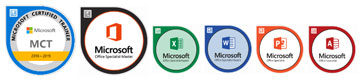
  • MICROSOFT CERTIFIED TRAINER (MCT) SINCE 2012
  • MICROSOFT OFFICE 2016 MASTER SPECIALIST (MOS)
  • MICROSOFT OFFICE EXCEL 2016 SPECIALIST (MOS)
  • MICROSOFT OFFICE WORD 2016 SPECIALIST (MOS)
  • MICROSOFT OFFICE POWERPOINT 2016 SPECIALIST (MOS)
  • MICROSOFT OFFICE ACCESS 2016 SPECIALIST (MOS)

Professional Qualifications

  • PSMB APPROVED TRAINER
  • CERTIFIED ETHICAL HACKER (CEH)
  • ADOBE CERTIFIED EXPERT (ACE)
  • CERTIFIED PRACTITIONER OF NEURO-SEMANTICS
  • CERTIFIED PRACTITIONER OF NEURO-LINGUISTIC PROGRAMMING
  • CERTIFIED PRACTITIONER OF HYPNOSIS & TIME- LINES


AREA OF EXPERTISE
Office Tools
Microsoft Office Suite (2003, 2007, 2010, 2013, 2016), Adobe Acrobat, Microsoft Visio


Soft Skill
Effective Presentation, Train The Trainer, Microsoft Office Business Application Coaching, Effective Communication


Graphic Design

Adobe Photoshop, Adobe Illustrator, Adobe Indesign, Quarkxpress, Adobe Pagemaker, Corel Draw, Corel Photo Paint

His Clientele



Venue Details

Concorde Hotel Kuala Lumpur
2 Jalan Sultan Ismail, 50250 Kuala Lumpur, Malaysia,

https://kualalumpur.concorde hotelsresorts.com/


Phone : 03 2144 2200

Contact us

Juliany,

Office: 03 2283 6109

Mobile: +60 122281247

juliany@ipa.com.my

Phoebe,

Office: 03 2283 6100

Mobile: +60 193637822

phoebe@ipa.com.my

Bee Teng,

Office: 03 2282 6112

Mobile: +60 172566121

beeteng@ipa.com.my

FOR CUSTOMISED IN-HOUSE TRAINING

Jane,

Office: 03 2283 6101

Mobile: +60 129418251

Jane@ipa.com.my

ADDRESS
A-28-5, 28th Floor, Menara UOA Bangsar,
No.5, Jalan Bangsar Utama 1,
59000 Kuala Lumpur
www.ipa.com.my

FOCUSING ON
  • Session 1: The Magic of Data Cleaning & Transformation
  • Session 2: Supercharged Lookups – Beyond VLOOKUP & XLOOKUP!
  • Session 3: Data Visualization That Speaks Volumes
  • Session 4: Smart Excel Productivity Hacks & Shortcuts
  • Session 5: Dynamic Conditional Formatting: Smarter Reporting with Visual Insights
  • Session 6: Interactive Excel Dashboards – No VBA Needed!
  • Session 7: Forecasting & Trend Analysis – Predict the Future in Excel!
  • Session 8: Data-Driven Decisions: What-If Analysis & Business Simulations
OBJECTIVES
This course aims to equip participants with powerful, time-saving techniques in Microsoft Excel for data cleaning, advanced lookups, dynamic visualization, and smart decision-making. By unlocking Excel’s hidden features, attendees will learn how to efficiently transform raw data into actionable insights, interactive dashboards, and predictive models—all without complex coding or VBA.
AFTER ATTENDING THIS COURSE YOU WILL RETURN TO YOUR JOB…
  1. Mastering Data Cleaning Techniques using Power Query, Flash Fill, and Text Functions to automate data transformation.
  2. Performing Advanced Lookups with XLOOKUP, INDEX-MATCH, and Fuzzy Lookup to extract data across multiple sheets.
  3. Designing Interactive Reports & Dashboards using dynamic charts, slicers, and Excel’s Camera Tool.
  4. Leveraging Advanced Conditional Formatting for real-time KPI tracking and automated insights.
  5. Using Smart Productivity Hacks to save hours by automating repetitive tasks and leveraging Excel Tables.
  6. Applying Forecasting & Trend Analysis to predict future business outcomes using Excel’s built-in forecasting tools.
  7. Utilizing What-If Analysis Tools like Scenario Manager, Goal Seek, and Data Tables to make smarter business decisions.
WHO SHOULD ATTEND

This course is designed for professionals and Excel users who want to elevate their data analysis skills beyond the basics. It is ideal for:

  • Business Analysts & Data Professionals
  • Finance & Accounting Teams
  • Marketing & Sales Professionals
  • Researchers & Academics
  • Managers & Decision-Makers
  • Excel Enthusiasts & Power Users
  • No programming or VBA knowledge is required
METHODOLOGY
  • Instructor-Led Training – The trainer will explain key concepts and demonstrate prompt engineering techniques using real examples.
  • Hands-On Practice – Participants will perform guided exercises to apply the prompting techniques using AI tools.
  • Experiential Learning – Participants learn by experimenting with prompts and observing how different prompts influence AI responses.
  • Discussion and Knowledge Sharing – Participants are encouraged to share ideas, experiences, and insights during the activities.
  • Group Activities (if time permits) – Participants may work in small groups to solve practical business tasks using prompt techniques.
DAY 1
9:00

SESSION 1: THE MAGIC OF DATA CLEANING & TRANSFORMATION

  • Power Query – Excel’s Best-Kept Secret for Data Cleaning
  • Removing Duplicates & Errors in One
  • Flash Fill & Text-to-Columns – Automate Data Formatting Without Formulas
  • Smart TRIM & CLEAN Functions – Fix broken imports instantly
10.45

SESSION 2: SUPERCHARGED LOOKUPS – BEYOND VLOOKUP & XLOOKUP!

  • XLOOKUP vs. VLOOKUP vs. INDEX- MATCH – Which One is the Ultimate Weapon?
  • Two-Way Lookup – Searching Across Rows & Columns at Once
  • • Lookup Across Multiple Sheets Without Breaking Excel! • Fuzzy Lookup Trick – Match Even When Data is Misspelled!
1:00 Lunch
2:00

SESSION 3: DATA VISUALIZATION THAT SPEAKS VOLUMES

  • Dynamic Heat Maps in Excel – No Add- Ons Needed!
  • Speedometer Charts (Live KPI Tracking in Excel Dashboards!)
  • Hidden ‘Camera Tool’ – Make Data Change Before Your Eyes!
  • Interactive Reports with Slicers & Drill- Down Charts
3:45

SESSION 4: SMART EXCEL PRODUCTIVITY HACKS & SHORTCUTS

  • Excel Shortcuts That Save HOURS!
  • One-Click Conditional Formatting Hacks – Find Trends Instantly!
  • Hidden Fill Handle Tricks – Auto- Generate Data with a Click!
  • Excel Tables – The Secret Feature That Does All the Work for You!
5:00 End of Day 1
DAY 2
9:00

SESSION 5: DYNAMIC CONDITIONAL FORMATTING: SMARTER REPORTING WITH VISUAL INSIGHTS

  • Advanced Conditional Formatting with Formulas
  • Using Data Bars, Color Scales & Icons for Dynamic Insights
  • Hidden Conditional Formatting Features Most Users Don’t Know
10.45

SESSION 6: INTERACTIVE EXCEL DASHBOARDS – NO VBA NEEDED!

  • Designing Professional Dashboards with PivotTables & Slicers
  • Dynamic Dropdowns & Interactive Controls Without Macros
  • Using Linked Charts & Camera Tool for Live Updates
1:00 Lunch
2:00

SESSION 7: FORECASTING & TREND ANALYSIS – PREDICT THE FUTURE IN EXCEL!

  • Excel’s Secret “Analyze Data” Tool – Instant Insights in One Click!
  • Forecasting Sales & Revenue in 10 Seconds!
  • Using Trendlines & Moving Averages to Spot Patterns in Data
  • Goal Seek & Scenario Analysis – Make Data-Driven Decisions Easily!
3:45

SESSION 8: DATA-DRIVEN DECISIONS: WHAT-IF ANALYSIS & BUSINESS SIMULATIONS

  • Scenario Manager – Compare Different Business Scenarios in Seconds!
  • Goal Seek – Reverse-Engineer Your Desired Outcomes
  • Data Tables – Run Multiple Simulations Instantly!
5:00 End of Course